Early access
PasswordCoded
Your private home for passwords, cards and secrets. Included with Gattaca Plus alongside CodonTerminal's Plan and Second opinion, PasswordCoded encrypts your vault on your device and keeps an encrypted copy across your signed-in devices.
PasswordCoded is included with Gattaca Plus at $15/month, together with CodonTerminal Plan features and encrypted sync. PasswordCoded never uses an API key.
Wondering how it works in practice? Read the setup & usage guide →
What it does
- Keep account logins, passwords, secret phrases, notes, and other sensitive records in one encrypted vault.
- Encryption happens on your device. Your master password and decrypted vault never leave it, and Gattaca cannot reset or recover that master password.
- Generate strong passwords, search and organize entries, import from CSV, and create encrypted backups you control.
- Run it in the browser or install it as a PWA. Desktop browser behavior is verified; real iOS and Android device validation is still part of early access.
- Use a recovery kit and encrypted backup to prepare for a forgotten master password without giving Gattaca a hidden recovery key.
Runs on
PasswordCoded is in early access while real-device validation and an external security review are completed. Keep an encrypted backup, and do not make any unaudited password manager your only copy of critical credentials. Cross-site autofill is not included yet.
No app store needed
Install it like an app
PasswordCoded installs straight from your browser onto your phone, tablet or computer: its own icon, full screen, and it opens offline.
iPhone and iPad
Safari
- Open passwordcoded.gattaca.software in Safari.
- Tap the Share button: the square with an arrow pointing up.
- Scroll down the list and tap Add to Home Screen.
- Tap Add, then open PasswordCoded from its new icon.
Android
Chrome
- Open passwordcoded.gattaca.software in Chrome.
- Tap the ⋮ menu at the top right.
- Tap Install app. Some phones call it Add to Home screen.
- Tap Install, then open PasswordCoded from its new icon.
Windows and Mac
Chrome or Edge
- Open passwordcoded.gattaca.software in Chrome or Edge.
- Click the install icon at the right end of the address bar, or open the browser menu and choose Install.
- Click Install. PasswordCoded opens in its own window, with its own Start menu or Dock icon.
- Installing is optional. The same vault works in a browser tab, and the installed app opens full screen and works offline once it has been opened.
- On iPhone and iPad, the home-screen app keeps its own storage, separate from Safari. Open it from the icon before you create your vault, or bring your vault in by signing in to sync with Plus or restoring your encrypted backup.
- On Android and computers, the installed app shares the browser's storage, so a vault you already made there is waiting for you.
Local first, connected when you choose
Your vault and CodonTerminal Plan. One Plus membership.
Included with Plus
Private on this device
Create, unlock, search, import, generate passwords, and export encrypted backups. Activate with your Gattaca Plus account; no API key needed.
Gattaca Plus · $15/month
Encrypted across your devices
- Encrypted cloud sync across your signed-in devices
- Realtime updates when another device changes the vault
- Download the latest encrypted cloud copy on a signed-in device
Sync follows your Gattaca sign-in. The API key in your account belongs to CodonTerminal, not PasswordCoded.
Guided product preview
See PasswordCoded in action
A 23-second tour of the current app with a fictional vault: the welcome screen, categories, search and an entry. PasswordCoded is included with Gattaca Plus; this preview does not show account activation or sync.
Explore the workflow
Actual app screens with sample data. Choose a step to take a closer look.
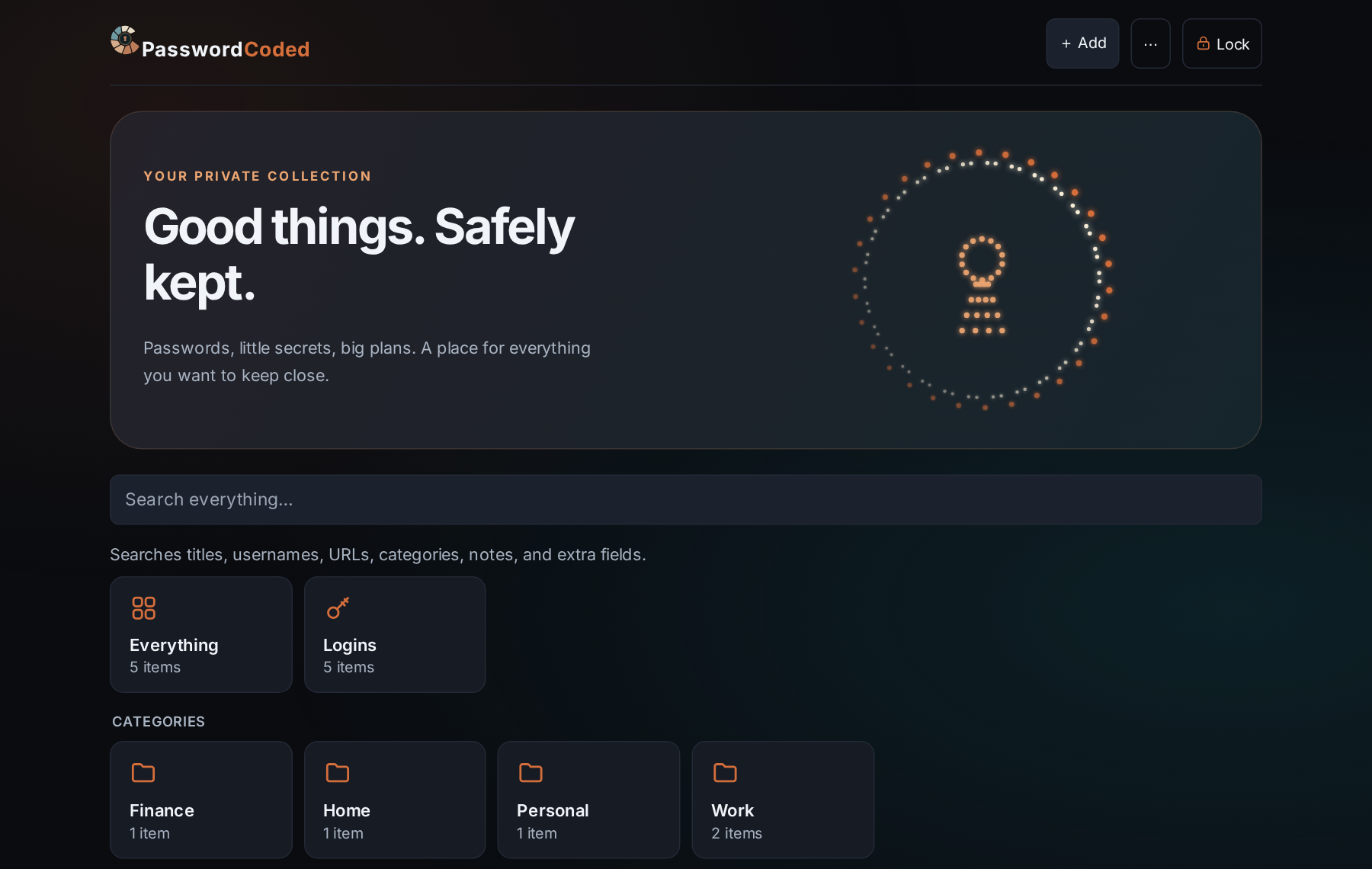
Good things. Safely kept.
Your vault opens to a private collection, encrypted on this device before anything is saved.